Research note: This Hostinger KVM 2 VPS plan review is based on Hostinger’s VPS pricing page and cart link checked on July 15, 2026, public plan details, listed feature claims, and EvalShare editorial analysis. It is not a hands-on server benchmark, and we do not claim measured uptime, speed, support response time, migration quality, or workload performance here.
This Hostinger KVM 2 VPS plan guide looks at the middle entry in Hostinger’s KVM VPS lineup: 2 vCPU cores, 8 GB RAM, 100 GB NVMe storage, and 8 TB traffic. The cart link supplied for this article preloads KVM 2 with a 12-month term and referral code ZBXZRTXXEUHV, while Hostinger’s public VPS page showed KVM 2 as the most popular plan at ¥64.99/month with a listed renewal price of ¥109.99/month.

Hostinger KVM 2 VPS plan specs
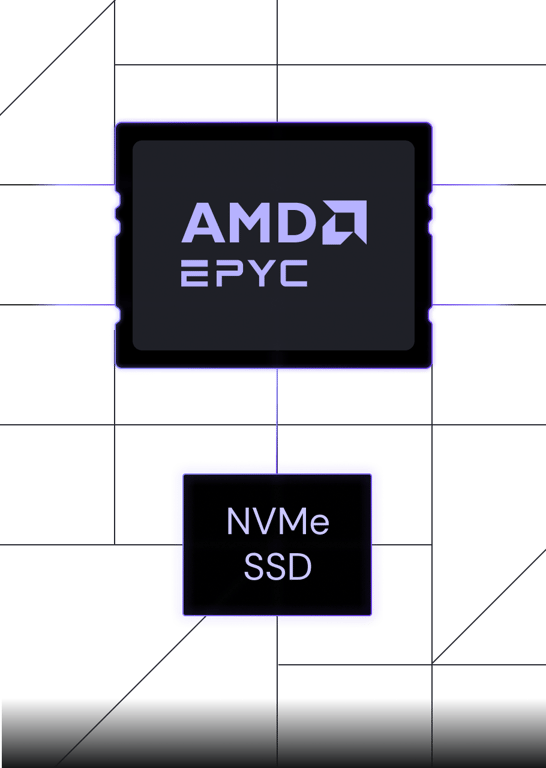
KVM 2 sits between Hostinger’s smallest KVM 1 plan and the more powerful KVM 4 and KVM 8 options. Based on the public VPS page, KVM 2 gives you 2 vCPU cores, 8 GB RAM, 100 GB NVMe disk space, and 8 TB traffic. That makes it more credible for small apps, automation tools, staging servers, heavier WordPress projects, and lightweight Docker workloads than an entry shared hosting plan.
The important context is that VPS hosting is not just “faster shared hosting.” You get more control and isolation, but you also accept more responsibility for updates, security, app configuration, monitoring, and resource planning. Hostinger tries to soften that learning curve with AI-managed VPS features, Kodee, web terminal access, backups, snapshots, and a simpler control panel.


Who should choose Hostinger KVM 2 VPS?
Choose KVM 2 if you have outgrown basic shared hosting, want root access, and need enough RAM to run more than a tiny single-purpose server. It looks especially relevant for self-hosted tools, n8n automation, Docker Compose projects, staging environments, small APIs, development stacks, and WordPress sites that need more isolation than shared hosting provides.
It is also a reasonable starting point if you are learning VPS management and do not want to begin with the absolute smallest server. The 8 GB RAM and 100 GB NVMe storage give you more room to experiment than KVM 1, while the price stays well below the larger KVM 4 and KVM 8 tiers.

KVM 2 vs shared hosting
Shared hosting is easier for beginners because the provider handles much of the server environment. VPS hosting gives you a private virtual server with more control over software, configurations, and services. That control is the reason buyers search for KVM VPS hosting, but it is also the reason VPS plans can feel less forgiving than shared hosting.
If you only need a simple blog, portfolio, or small brochure site, Hostinger’s shared or WordPress hosting plans may be simpler. If you want to run Docker, n8n, custom APIs, multiple apps, background workers, or a more controlled WordPress environment, the Hostinger KVM 2 VPS plan is the more flexible path.
Billing and renewal caveat
The cart URL supplied here is for a 12-month KVM 2 VPS checkout flow, while the public VPS page we checked displayed plan pricing and renewal language that may vary by term and promotion. Before paying, confirm the first-term total, renewal price, billing period, taxes, add-ons, data center region, refund policy, and whether any extras are selected in the cart.
Management, security, and backups
Hostinger’s VPS page highlights full root access, a web terminal, firewall management, DDoS protection, weekly backups, manual snapshots, and AI-assisted management through Kodee. Those features are useful, but they do not remove your responsibility to keep software patched, protect SSH keys, configure firewalls carefully, monitor resource usage, and maintain your own app-level backups.




Pros and cons
Pros
- 2 vCPU, 8 GB RAM, 100 GB NVMe, and 8 TB traffic make KVM 2 a practical middle tier
- Better control and isolation than shared hosting
- Relevant for Docker, n8n, APIs, staging, and heavier WordPress projects
- Weekly backups, snapshots, web terminal, VPS API, and AI management features are promoted
- Upgrade path exists if the project grows beyond KVM 2
Cons
- VPS hosting requires more technical responsibility than shared hosting
- Renewal price can be much higher than promo pricing
- This article does not include independent speed or uptime benchmarks
- Resource-heavy databases, busy ecommerce, or production AI workloads may need a larger plan
- Checkout terms may differ from public pricing page language, so final cart verification matters
Who should skip it?
Skip KVM 2 if you want a fully managed beginner site builder experience, if you do not want to think about server updates or SSH, or if your project is so small that shared hosting already fits. Also skip it if your workload clearly needs more than 2 vCPU cores and 8 GB RAM from launch.
If your main goal is a simple discount on hosting rather than VPS control, compare our Hostinger promo code buying notes first.
FAQ
Is Hostinger KVM 2 VPS plan worth it?
It looks worth considering if you need more control than shared hosting and want a middle VPS tier with 2 vCPU cores, 8 GB RAM, 100 GB NVMe storage, and 8 TB traffic. It is less compelling if you only need a basic website or if renewal pricing does not fit your budget.
Can Hostinger KVM 2 run Docker and n8n?
The VPS page highlights Docker-style application deployment and n8n-style automation use cases, and KVM 2 has more RAM than the smallest plan. Actual suitability depends on your container count, database size, traffic, workflows, and background jobs.
What is the Hostinger KVM 2 VPS renewal price?
The public VPS page we checked listed KVM 2 renewal at ¥109.99/month. Because the supplied cart link uses a 12-month term, confirm the checkout total and renewal language before buying.
Is KVM 2 better than shared hosting?
KVM 2 is better if you need root access, isolated resources, custom server software, Docker, APIs, or more control. Shared hosting is better if you want the easiest path for a small website and do not need server-level customization.
For more context on how EvalShare separates promotional buying notes from hands-on testing, see our Review Standards, Editorial Policy, Authors & Reviewers, and Affiliate Disclosure.